 Mohammad Kaleem
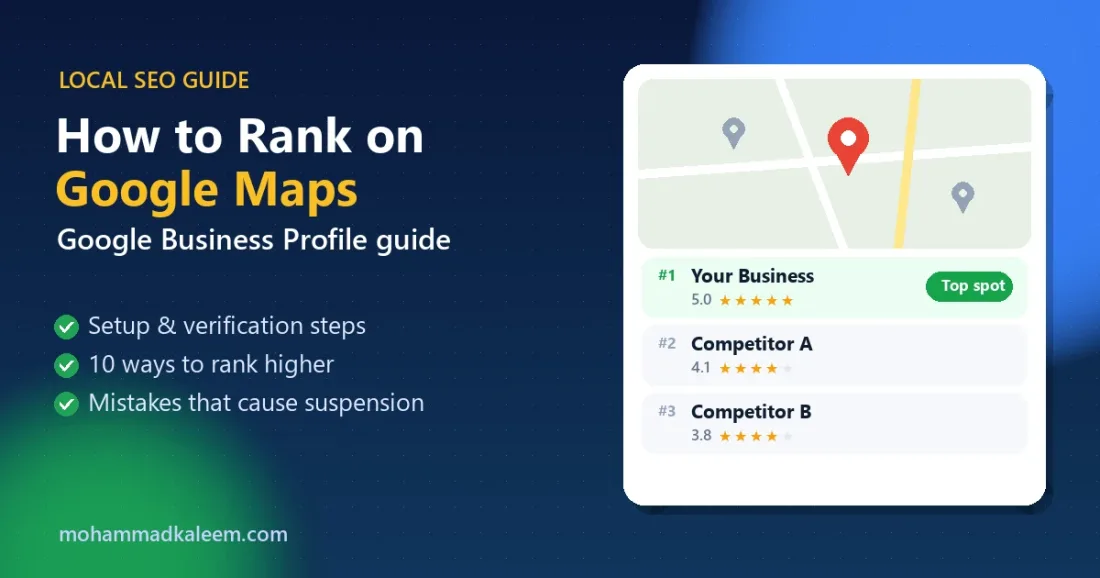
Quick answer: Google says local results are based on three things: relevance (how well your profile matches the search), distance (how close you are to the searcher) and prominence (how well known and trusted your business is). To rank higher on Google Maps, choose the right category, complete every detail of your Google Business Profile, add real photos, collect genuine reviews and reply to them, and connect the profile to a good website.
When someone searches "dentist near me" or "AC repair in Noida", the first thing they usually see is a map with three businesses. Those three get most of the calls. The good news is that Google Business Profile is free, and most local businesses leave it half-finished, so a complete, active profile can stand out quickly. This guide explains, step by step, how to set it up properly and what actually helps you move up.
How Google Decides Who Shows on the Map
- Relevance: does your profile clearly match what the person searched for? Your category, services and description decide this.
- Distance: how far your business is from the searcher or the location in the search. You cannot change this, so focus on the other two.
- Prominence: how well known your business is, based on reviews, ratings, mentions across the web and your website.
Everything in this guide improves relevance or prominence.
Step 1: Create and Verify Your Google Business Profile
- Go to google.com/business and sign in with a Google account you will keep long term.
- Enter your exact business name, as it appears on your board and documents.
- Choose your main business category.
- Add your address if customers visit you. If you visit customers instead, choose to show a service area and hide your address.
- Add your phone number and website.
- Complete verification. Google decides the method, which may include a video, a phone or email code, or a postcard.
Your profile will not show properly until it is verified, so finish this first.
10 Ways to Rank Higher on Google Maps
1. Choose the right primary category
This is one of the strongest signals. Pick the category that describes your main business as specifically as possible, for example "Dental clinic" rather than "Doctor". Add a few secondary categories only if they truly apply.
2. Complete every field
Fill in your description, opening hours, holiday hours, services, products, attributes and opening date. A complete profile gives Google more information to match with searches and gives customers more reasons to choose you.
3. Use your real business name only
Do not add keywords or city names to your business name, such as "Sharma Clinic Best Dentist in Delhi". It is against Google's guidelines and can get your profile suspended. Use the name customers see on your shop or documents.
4. Add real photos regularly
Upload your logo, a cover photo, photos of your shop front so people can find you, the inside, your team and your work. Real, recent photos build trust far more than stock images.
5. Get genuine reviews
Reviews are a major part of prominence. Ask happy customers to leave a review and make it easy by sharing your review link on WhatsApp. Never buy reviews, write fake ones, or offer gifts or discounts in exchange for reviews. Google does not allow this.
6. Reply to every review
Thank people for good reviews and reply politely to negative ones, offering to fix the problem. Future customers read your replies, and an active profile looks trustworthy.
7. Post updates
Use the Updates feature to share offers, new work, events or tips. Regular posts show customers and Google that your business is active.
8. Set your service areas correctly
If you travel to customers, add the cities or areas you actually serve. Keep the list realistic and close to where you work.
9. Keep your name, address and phone the same everywhere
Your business name, address and phone number (often called NAP) should match exactly on your profile, your website, Facebook, Justdial and other directories. Matching details help Google trust that they all belong to the same business.
10. Link to a good website
Your profile and your website support each other. A fast, mobile-friendly website with a page for each service, your address and your contact details helps your Maps ranking and turns profile visitors into enquiries. If your website is not bringing calls, read why your website is not getting enquiries.
Mistakes That Can Get Your Profile Suspended
- Keywords or city names stuffed into the business name
- A virtual office or fake address where you do not actually work
- Several profiles for the same business at the same address
- Fake, bought or incentivised reviews
- Changing important details again and again in a short time
A suspended profile can disappear from Maps completely, and getting it back takes time, so it is not worth the risk.
Google Business Profile Checklist
| Item | Done right when… |
|---|---|
| Verification | Your profile is verified and visible |
| Category | The main category is specific and accurate |
| Details | Description, hours, services and products are complete |
| Name | Matches your real business name, no extra keywords |
| Photos | Real photos of your shop, team and work |
| Reviews | You ask happy customers and reply to every review |
| Updates | You post news or offers regularly |
| NAP | Name, address and phone match your website and directories |
| Website | Linked to a fast, mobile-friendly website |
Why You Need a Website as Well
A Google Business Profile helps people find you on the map, but most customers still want to check your website before they call: your services, prices, work and reviews. A good website also helps you rank for searches beyond the map, such as your service plus your city. See my website design services and, for ongoing local rankings, my SEO services. If you are planning a budget, my guide on website development cost in India explains the prices.
Need Help With Your Profile and Website?
I can set up and optimise your Google Business Profile, build a website that matches it, and make sure your details are consistent everywhere. Contact me or call/WhatsApp +91 85275 54620.
Frequently Asked Questions
Is Google Business Profile free?
Yes. Creating and managing a Google Business Profile is free. You only pay if you choose to run Google Ads.
How long does it take to rank on Google Maps?
It depends on your competition and location. A complete, verified profile can start appearing within weeks, while ranking in the top three for competitive searches usually takes steady work on reviews, photos and your website over several months.
Can I rank on Google Maps without a shop address?
Yes. If you visit customers instead of them visiting you, you can hide your address and set service areas. You still need a genuine business location to verify the profile.
Should I add keywords to my business name?
No. Adding keywords or city names to your business name breaks Google's guidelines and can get your profile suspended. Use your real business name.
How do I get more Google reviews?
Ask satisfied customers directly and send them your review link on WhatsApp or SMS after the job is done. Do not offer rewards for reviews, as Google does not allow it.
Does my website affect my Google Maps ranking?
Yes. A website linked to your profile, with matching details and useful service pages, helps Google understand and trust your business, and it turns profile visitors into enquiries.